Invoices are managed centrally in the Financial Management > Invoices folder.
Editing Individual Invoices
You can edit the information of an invoice by double-clicking it on the invoice list to open the invoice.
When the invoice hasn’t been sent or printed it has the status Open and you can change for example the following:
- Payer (if the new payer has the same taxation), payer address, payer’s contact, and payer’s reference.
- Invoice language, delay interest, payment term, date, and due date.
- On the Further Information tab, the entry date, invoicer, cost center, and bank/sales account.
- In the Invoice Rows folder, the description text for the transactions and expenses by double-clicking the rows.
Once the invoice has been printed or sent, you can only edit the payer, payer’s address, payment terms, notice period, date, and due date.
NOTE: If the invoice has been transferred to bookkeeping, either via integration or by creating bookkeeping material, any changes made to the invoice information will not be updated to the bookkeeping software.
Via the Preliminary Invoice link of the invoice window, you can view the preliminary invoice, from which the invoice has been created.
 Editing Multiple Invoices
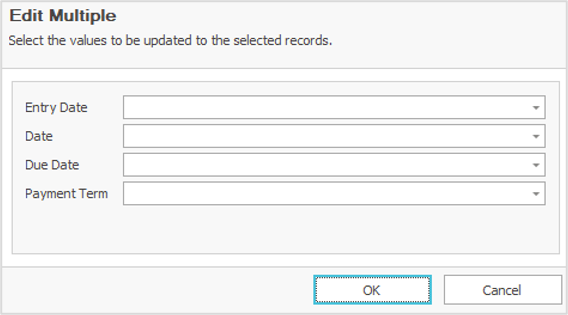
Power users can also edit simultaneously multiple invoices which do not have adjusted payments or credits. It can be done in the Invoices folder by selecting the desired invoices (while holding down the Control button) and then right clicking the mouse and selecting Edit Multiple.
The window enables editing the entry date, date, due date to be printed to invoices, or payment term for all the selected invoices.
The OK button saves the changes. A user gets a summary showing which of the invoices were edited successfully and which were left unchanged.
Comments
0 comments
Please sign in to leave a comment.